Check out this story about James Niehues, the person that hand paints all those ski resort maps that you probably have used or seen before.
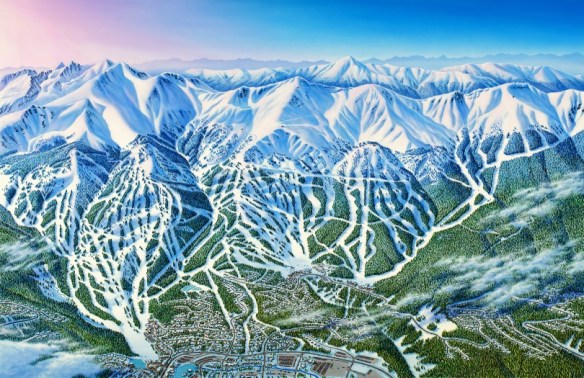

Check out this story about James Niehues, the person that hand paints all those ski resort maps that you probably have used or seen before.
Check out this study that was done to identify megaregions in the US by using commuter data.

Today is Pearl Harbor Remembrance Day. On this date 75 years ago, Pearl Harbor was attacked by Japanese forces, leaving over 3,400 casualties and pushing the U.S. to join the Allies in World War II.
National Geographic has an interesting site with an audio/visual timeline tour showing what went down during that day through attack maps. Check it out!

San Diego map collector, William Speidel, would like to donate his map collection of about 1,000 maps to a library, geography or geology department in the United States. The collection is current with maps dating from the 1960s to the 2000s. While the collection would be a donation, the accepting library would need to pay for the mailing of materials. Included in the donation are the following types of maps: * Nautical charts (Alaska, Australia, China, Japan, US Gulf of Mexico, US Pacific, US Atlantic, Thailand, Vietnam, Western Mediterranean); * Bathymetric charts (Australia, US Atlantic, California, China, Gulf of California, Thailand); * USGS topographic maps (1:24k, 1:62.5K) (California, Arizona, Texas, Mississippi, etc.); * Other maps including miscellaneous geologic maps, Gebco Charts, soil charts, sediment distribution. Excel spreadsheets are available detailing the full collection.
Mr. Speidel is interested in the whole collection going to one library rather than breaking it up into pieces. If you are interested, please contact Julie Sweetkind-Singer (sweetkind@stanford.edu) and she will pass along his contact information and the spreadsheets to you directly.
The Library of Congress signed a memorandum of understanding with the Digital Public Library of America to become a Content Hub and will ultimately share a significant portion of its rich digital resources with DPLA’s database of digital content records.
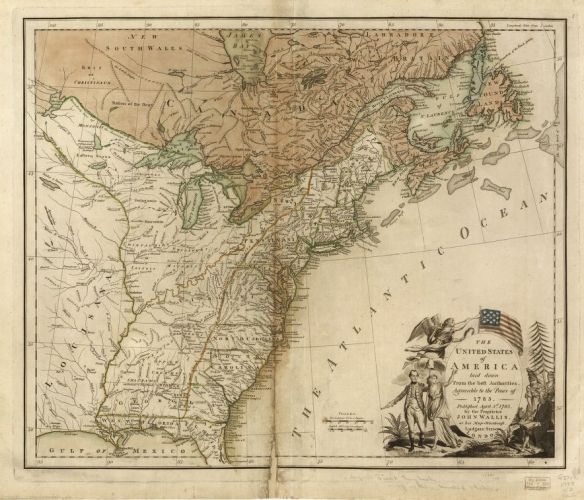
The first batch of records will include 5,000 items from three major Library of Congress map collections: the Revolutionary War, Civil War, and panoramic maps.
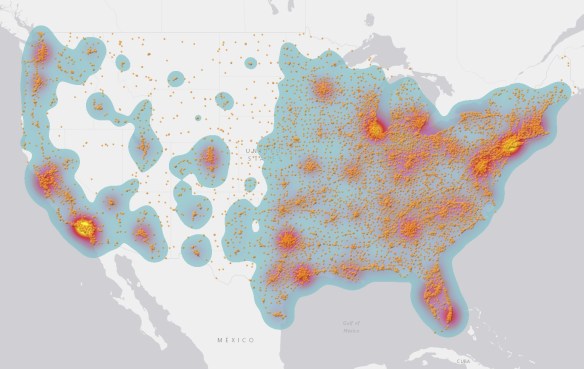
Check out these maps and article about 15 fast food chains that dominate in the US.
Here is an interesting article about using a drawing option in ArcMap called Match To Symbols. By naming a feature attribute with the same symbol name that is in a style, you can quickly symbolize them for feature categories. Click below to read.

This is just like when us old school GIS types used a field to store a symbol number to symbolize our points, lines, and polygons!
Here is an interesting article from the UK about how map reading seems to be a lost art. People have stopped being able to read maps in the age of automatic mapping … people are instead increasingly read by maps! Map reading should be a basic life skill and maybe we should start teaching it in schools again.

Today is GIS Day! If you are looking for a place to check out, may I suggest the GIS Day celebration at Los Angeles County. They put on a big show and have many booths and presentations.
You can find other places that are celebrating GIS Day by checking out the GIS Day map below.
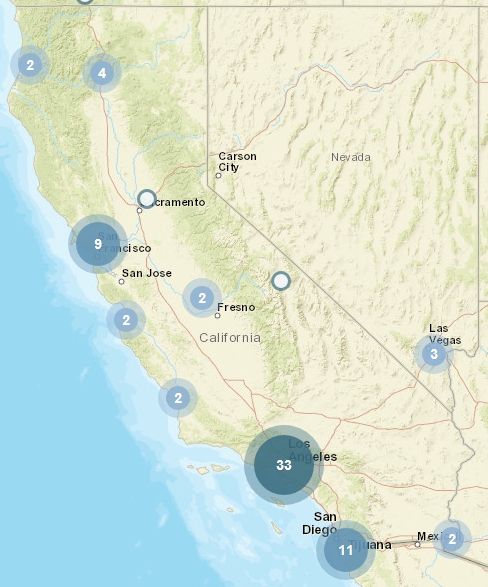
Happy GIS Day!
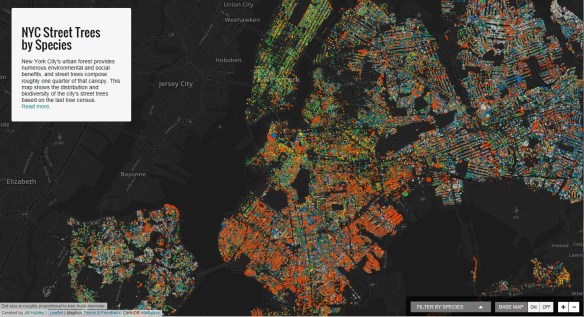
If you are a tree lover or interested in urban spaces, you will want to check out Jill Hubley’s interactive map of New York City Street Trees by Species. You can choose to zoom in on a particular neighborhood (or even block) to learn about the particular tree species in that area. Alternatively, you may conduct a search for a particular species to see where that species is distributed across the city.