New Maps

For you map collectors, here is a list of new maps and books that might interest you:

Kaufmann, Obi.  The California field atlas.  1 atlas (608 pages), scales differ.  Berkeley, Calif.: Heyday, pub. 2017.  ISBN: 9781597144025

Mad Maps.  Scenic road trips of Northern California: Avenue of the Giants, the Lost Coast, Napa & Sonoma, Mount Hamilton, Santa Cruz Mountains, Monterey & Carmel.  1 map, scale ca. 1:600,000.  San Francisco, Calif.: Mad Maps, pub. 2016.  ISBN: 9781933911397

National Geographic Maps.  Mojave National Preserve, California.  1 map, scale 1:125,000.  Evergreen, Colo.: National Geographic Maps, Trails Illustrated topographic map 256, pub. 2016.  ISBN: 9781566953832

Continue reading

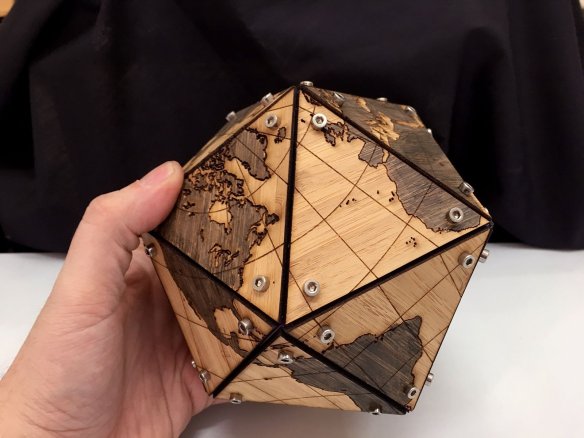
Guerrilla Cartography Kickstarter

Guerrilla Cartography has a kickstarter for their upcoming Water Atlas project.  Contribution options include adding your location to the collaborators map, receiving a copy of the book, or even donating a copy of the book to your favorite school, library, or community center with your name printed on the inside cover.  Check it out.

guerrillacartography

Thanks goes to Chandler Sterling for pointing this one out!

World Imagery Firefly

World Imagery Firefly was created for thematic maps.  Currently in beta, Firefly is an alternative view of the default World Imagery basemap, and is designed with desaturated colors.  When zoomed out, the map appears grayscale, but as you zoom in, the colors become more saturated until the full color detail of the imagery appears.  World Imagery Firefly is especially useful for overlays of  brightly styled layers when you want an imagery basemap, but do not want the imagery to compete with the layer styling.  Check it out.

worldimageryfirefly

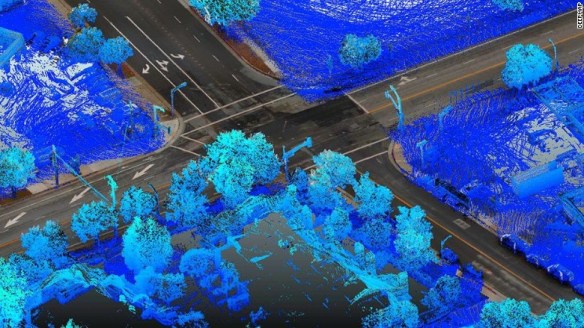
Bring LARIAC5 Early Access Imagery into ArcGIS Desktop

If your organization participates in LARIAC, then you probably know that right now you have Early Access to the 2017 imagery (both orthos and obliques) in Pictometry’s online CONNECTExplorer application.  Keep in mind the Early Access imagery still has work to be done on it, but at least you can take a look at the new stuff while they are working on it.

One thing you can do is bring some of the ortho imagery into your ArcGIS Desktop environment.  Here are the simple steps to do so:

  1. Login to ConnectExplorer and zoom to the area you are interested in.  Make sure to set the imagery date to “Early Access”.
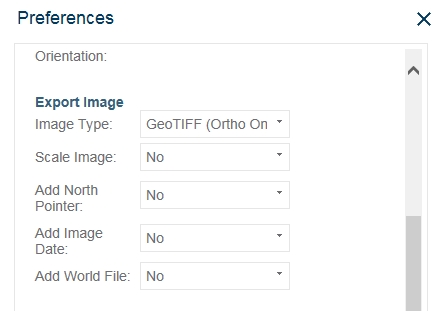
  2. Next, set your Export Image preferences to output a GeoTIFF and turn off scale image, north pointer, and image date if you want.  You do not need a world file for a GeoTIFF.

    lariacortho1

  3. Next, bring up the ortho view of the area you want.  Make sure to zoom in quite a bit to get the higher resolution.

    lariacortho2

  4. In the lower-right corner, click on the export icon and select Export Entire Image.

    lariacortho3

  5. Now bring the GeoTIFF into ArcGIS Desktop.  Here I have the new 2017 ortho displayed on top of the 2014 ortho.

    lariacortho4

  6. Your image might look a little choppy.  To fix that, open the layer properties, select the Display tab, and change the “Resample during display” setting to “Bilinear Interpolation”.  The “Nearest Neighbor” setting will make your image too choppy looking.  Bilinear does a great job smoothing it out.

The GeoTIFF images are actually using geographic coordinates (WGS84), but they reproject very well into State Plane.

This is a very quick way to bring in the new 2017 Early Access imagery into your maps if you need to.  As the imagery is cleaned up and worked on to create preliminary images, there will be map services setup for you to consume in your applications.  But for now, you can use these steps.  Enjoy!  -mike

ArcGIS for Local Government UC 2017

Today there will be a meetup, June 22nd at 11am (PDT), about what’s coming in the ArcGIS for Local Government UC 2017 release as well as ArcGIS for Local Government events at the ESRI User Conference in July.  If you are interested, please join the meetup today by registering here.

After registering, you will receive a confirmation email containing information about joining the webinar.