Check out this image of the Thomas, Creek, and Rye Fires today at 10:25am.

Source: NASA Earthdata, MODIS Near Real Time Images


Check out this image of the Thomas, Creek, and Rye Fires today at 10:25am.
Source: NASA Earthdata, MODIS Near Real Time Images
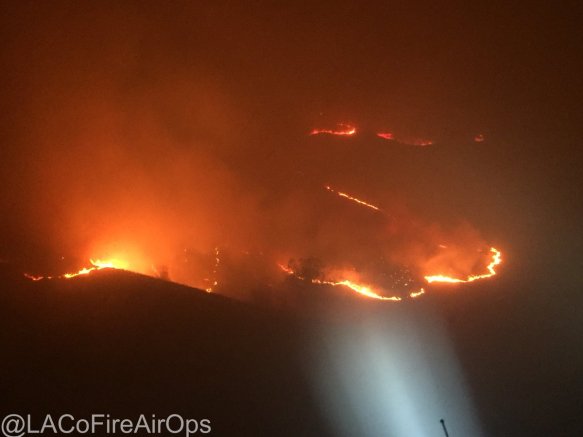
As winds kept blowing this morning, the Creek Fire near Sylmar started up and mandatory/voluntary evacuations were issued. More on LA County Fire PIO twitter site.

Check out the National Weather Service’s visible loop to see how fast the Creek Fire erupted. You can also see the larger spot, which is the Thomas Fire in Ventura County.

Also if you have been following the Thomas Fire near Santa Paula/Ojai/Ventura, more info can be found on the Ready Ventura County site. Mandatory and voluntary evacuations have been issued.
For the National Weather Service wind speed map and other info, click below.

ESRI is offering a complementary training class for ArcGIS Pro, titled “Go Farther with ArcGIS Pro”, in El Segundo, Friday December 8. The class is designed for experienced ArcMap users which will familiarize you with ArcGIS Pro workflows related to mapping, editing, geoprocessing, and 3D. Click below for more info and to register.

See how a data enthusiast takes commuter data from the US Census American Community Survey and plots where people live and work to visualize commuting trends. Click below to read about how it was done.

Click below to try out the app and select a state and county to visualize the data.

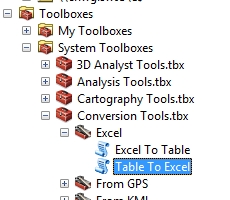
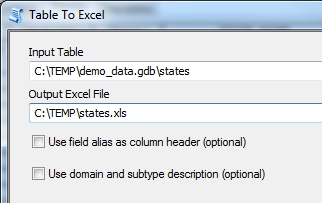
Ever need to export your feature attributes or a table to a CSV file when using ArcGIS Desktop? There are a few ways to do it. Here are four (plus an extra):
Option 1: Table to Excel to CSV
This procedure uses the Table to Excel tool, then Microsoft Excel to convert to CSV.
The Table to Excel tool is located in the Conversion Tools toolbox.
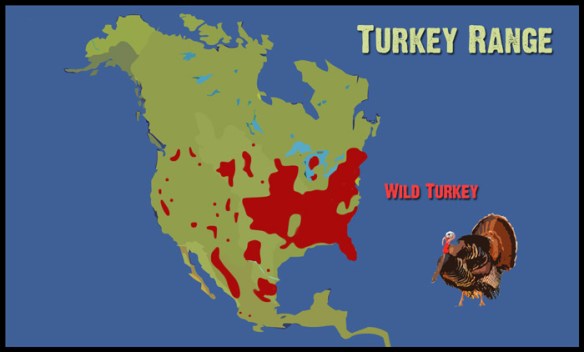
Before you dig in to the food at Thanksgiving tomorrow, check out this interesting history lesson about the wild turkey, how it migrated to Europe, and how it got the name “turkey”.
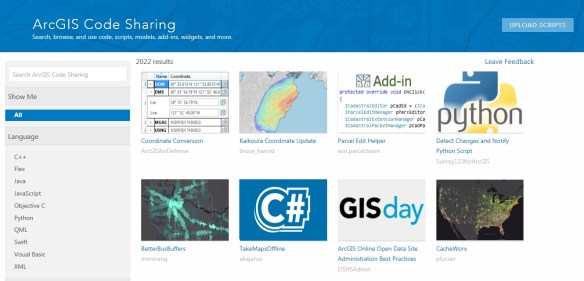
Looking for some code that will solve all your problems? Check out the ArcGIS Code Sharing site. Code can be filtered by language and software product. Click below to find that nugget of code you need!
Do you know if your City is participating in the 2020 Census LUCA Operation to update address data? Here are a few things to know:
Also know that if your jurisdiction cannot participate or needs help, Los Angeles County would like to help you out. Contact Durga Niraula at dniraula@isd.lacounty.gov for more information.
GIS Day is here. If you are not hosting an event, try to get out and attend one. Check out the GIS Day map and see what events are going on around you.

Happy GIS Day!
Eric Pimpler of Geospatial Training Services is giving away copies of his new book Programming ArcGIS Pro with Python. Enter to win a copy, just click below!

Chapters include:
 SoCalGIS.org