Unknown's avatar

About socalgovgis - Michael Carson

Michael Carson, GIS Manager (retired) for the City of Burbank and President of Southern California Government GIS User Group. Currently teaching GIS at College of the Canyons in Santa Clarita.

2015 CalGIS Location Survey

Hey CalGIS folks,

We’re starting preparations for the 2015 CalGIS and I’m super excited. As mentioned during 2014 CalGIS, we want to get your opinions on a few things before we move forward with location selections. I really appreciate you taking the time to respond to this survey, it should take you less than 2 minutes. We’ll be closing the survey on June 18 so if you want a say, respond before then.

Here’s the link: 2015 CalGIS Location Survey

Thanks!

Christina Boggs
2015 CalGIS Conference Chair
Christina.Boggs@norcalurisa.org

EIS Mapper

If you deal with environmental issues or if you work with planners who are developing sites, this website may be useful.

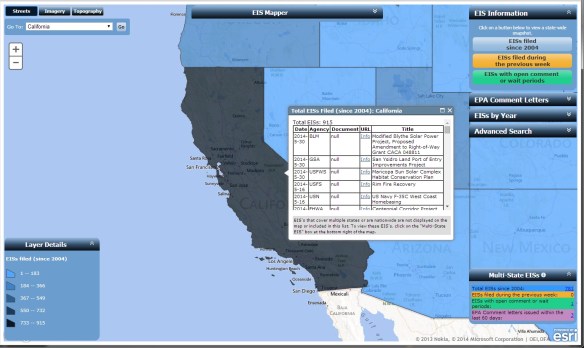
The EIS Mapper displays information for each state with data from EPA’s Environmental Impact Statement (EIS) Database.  Included are EISs filed since 2004 up to the present (previous week), statements with open comment or wait periods, and EPA comment letters.  Using the map application, you gain access to electronic copies of the documents.

The EIS Mapper is a valuable tool for environmental research, planning and municipal developers, property owners, legal research of companies and properties, and for anyone doing historical research on environmental related activities in the United States.  Check it out.

eismapper


USGS Map Engravings Available for Transfer, Donation, or Sale

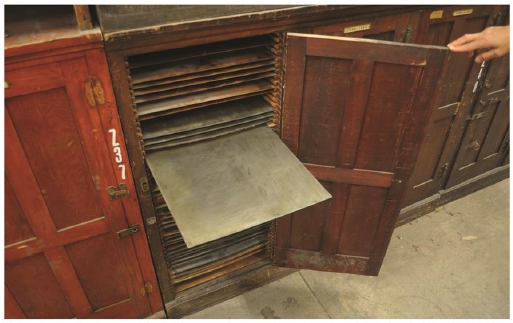
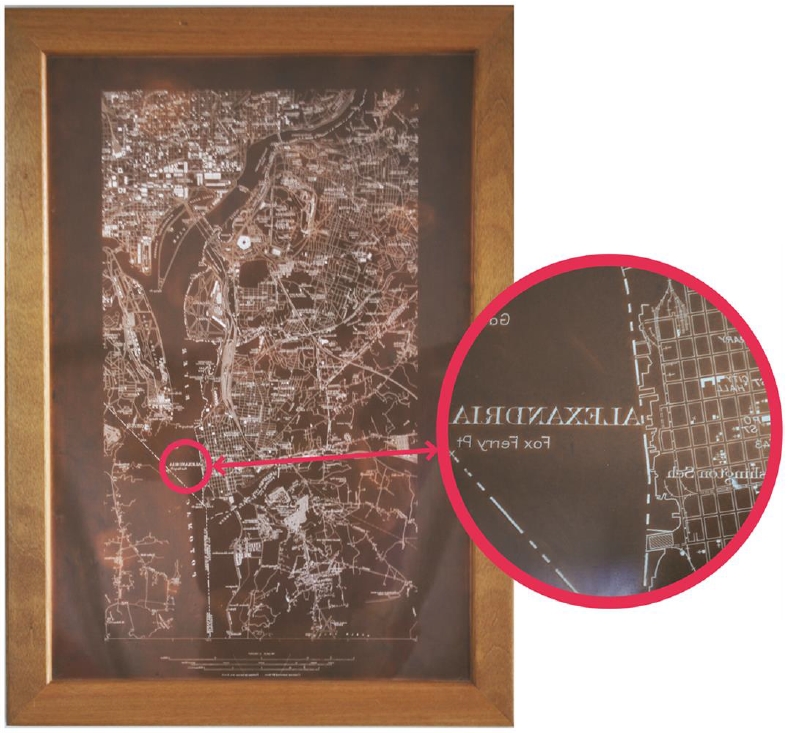
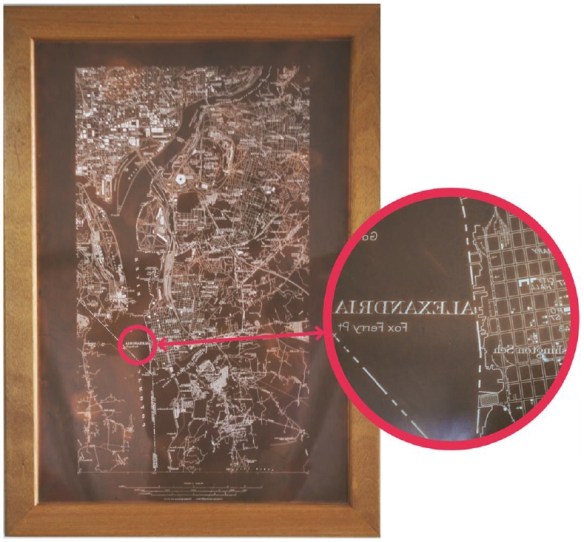
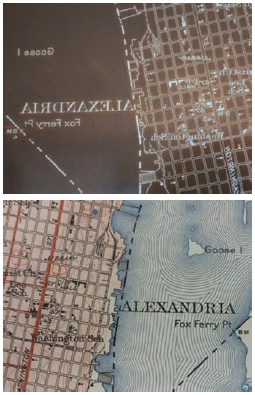
Beginning this summer the Federal Government will release excess engravings once used to reproduce U.S. Geological Survey (USGS) topographic and geologic maps and other scientific illustrations.
engravings2

engravings1

engravings3

The process makes these unique engravings, created from the 1880s to the 1950s, available for transfer to Federal agencies; for donation to State and local governments, certain non-profit educational and other organizations, and public agencies; and for sale to the public.

Those interested in obtaining engravings need to understand the phases of the process; know how to request the engravings; plan the logistics to receive, pack, load, and transport them; and be ready to request a donation or to make a purchase offer when the engravings become available.

More information about the engravings and the process for transfer, donation, or sales of the engravings is available through ftp://ftpext.usgs.gov/pub/er/va/reston/Engravings/.

State and local governments, certain non-profit educational and other organizations, and public agencies interested in receiving a donation should establish their eligibility now with their State Agency for Surplus Property (SASP). The SASPs are listed at http://www.gsa.gov/portal/content/100851.  Only the SASP can request a donation on your behalf.

The engravings will be available through a process managed by the U.S. General Services Administration (GSA).

USGS will post supporting status information weekly through ftp://ftpext.usgs.gov/pub/er/va/reston/Engravings/.


ArcMap: I Just Want the XY

How many times while working in ArcMap have you had the need to find the XY coordinate for a certain location? Sure you can hover over the map with your mouse and read the coordinates displayed in the lower right hand corner of the ArcMap window:

xy1

But depending on your projection, those coordinates might not be in the format you want. For example, you want longitude and latitude but your coordinates are displayed in another projection system.

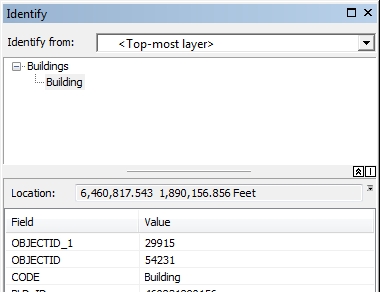
Here comes the Identify tool to the rescue! Identify tool you ask? Yes, besides displaying what features you clicked on it also displays the coordinates where you clicked. You have been using this tool for a long time but maybe overlooked the coordinate display. Try it now. Here is what I got:

xy2

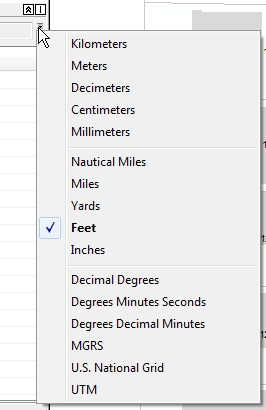
Note “Location:” just above the field and value listing. If you want to change the coordinate format, click on that little down arrow next to the coordinate display:

xy3

Now pick something else, like Decimal Degrees and see your new coordinates:

xy4

You can even copy what is displayed and paste it in something else, like an email or a report.

So there you go, a quick way of getting point and click XY coordinates from ArcMap. Enjoy! -mike

Master’s Thesis Grants

Applications for the next round of AAG Cartography Specialty Group Master’s Thesis Research Grants are due by June 15, 2014.

Masters students enrolled full time are invited to apply for the CSG Master’s Thesis Research Grants. These grants are intended to promote scholarly research in cartography by students enrolled in Geography or a related degree program. Grants are available up to a maximum of $500 and may be used for items necessary and relevant to research, such as travel, materials, equipment, and human subject fees.

Deadlines for application are March 15, June 15, and November 1 of each year. Applications and inquiries should be directed to the CSG Non-Academic Director, Sarah Bell, at sbell@esri.com.

For more information and the application form, please visit http://www.csun.edu/~hfgeg003/csg/master.html. You can also access that page from the Awards and Competitions section of the main CSG Web site, http://www.csun.edu/~hfgeg003/csg.

Please share this announcement with your students or other organizations that may have potential applicants.  Good luck in the competition!

Free Python eBook

Looking to learn Python or brush up on your Python skills?  You can download for free Mark Pilgrim’s book Dive Into Python.  Keep in mind this book is dated 2004 and uses Python 2.3 in the examples, but that should not stop you using the current version of Python and following along in the book.  Click here to view the table of contents of the book before you decide to download.

Geospatial LA Meeting June 4th

Group: Geospatial LA
Subject: Geospatial LA is THIS WEDNESDAY, June 4th @ CalTech – 5:30pm

Imagin’ Labs & PIXIA Corporation are hosting the meeting this Wednesday in Pasadena for an evening focused on imagery, sensor data collection, processing and remote sensing.

PRESENTERS:

  • Jet Propulsion Laboratory – Radar, Optical, and Crowd Remote Sensing for Rapid Disaster Response
  • Planet Labs – Small Sats and Commercial Applications
  • AeroVironment – Convergence of UAV’s and GIS
  • Pixia Corp. – UAV Imagery and Dissemination Technology
  • Imagin’ Labs – Corregistration of Satellite and Aerial Imagery for Change Detection
  • Teledyne Scientific Imaging – Digital Imaging Technologies for Multi-Modal Sensing and Exploitation

MEETUP DETAILS (hosted by Imagin’ Labs):
Date: Wednesday, June 4th Time: 5:30pm
Where: Caltech, 1200 E California Blvd, Pasadena, CA 91125 In the Buwalda room, first floor of the Arms building, which is building #25 on the campus map: http://www.caltech.edu/map/

Parking:
Free after 5pm in the campus structures, I suggest parking in structure #123 on the map, which is approximately at: 485 S Wilson ave, Pasadena, CA 91106

MEETUP SOCIAL (hosted by PIXIA Corporation):
When: Approximately 7:30pm – on
Where (New Location!): Lucky Baldwins Trappiste – 1770 East Colorado Blvd.

Nature Soundmap

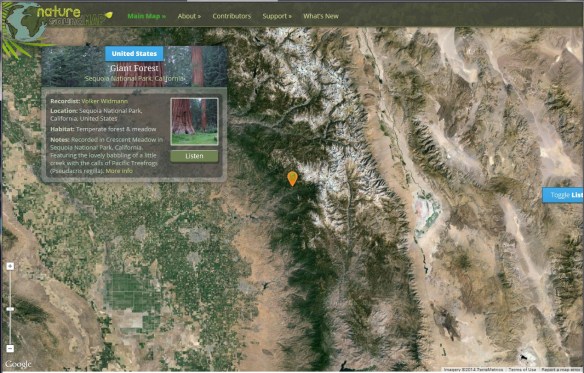
What does a humpback whale sound like? Or perhaps the White-cheeked Gibbon? The Nature Soundmap provides snippets of these sounds and much, much more. Visitors will find an interactive map of the world, complete with markers that allow audio wildlife travel from Central America to Central Asia. Symphonies of animal noises can also be found here. Each marker includes information about the animal or setting profiled, along with a link to More Info for the generally curious.  Click below to check it out.

soundmap