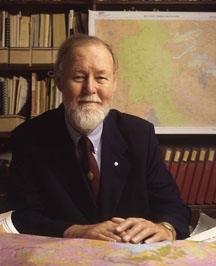
Dr. Roger Tomlinson Passed Away

rogertomlinson

Dr. Roger Tomlinson has passed away.

Tomlinson is generally recognized as the “father of GIS.”  He is the visionary geographer who conceived and developed the first GIS for use by the Canada Land Inventory in the early 1960s. This and continuing contributions led the Canadian government to give him its highest civilian award, the Order of Canada, in 2001. Text for that award reads, “he pioneered its uses worldwide to collect, manage, and manipulate geographical data, changing the face of geography as a discipline.”

Tomlinson tells the story of how this came to be. In the early 1960s he was working as a photo interpreter for Spartan Air Services in Canada. They had a contract to identify the best location for a tree plantation in Kenya. They turned to their young geographer Tomlinson and asked him to develop a methodology. He tried various manual methods for overlaying various environmental, cultural, and economic variables, but all were too costly. He turned to computers and found the solution. Subsequently he sold this approach to the Canada Land Inventory that had the responsibility of using data to assist the government in its land use planning activities. His GIS approach reduced the task from three years and eight million Canadian dollars to several weeks and two million dollars.

He went on to serve the community in many ways. He chaired the International Geographical Union’s GIS Commission for 12 years, where he pioneered the concepts of worldwide geographical data availability. He is a past president of the Canadian Association of Geographers a recipient of its rare Canadian Award for Service to the Profession.

Other awards followed including the James R. Anderson Medal of Honor for Applied Geography (1995) and the Robert T. Aangeenbrug Distinguished Career Award (2005) from the American Association of Geographers. He was the first recipient of the Aangeenbrug award and also the first recipient of ESRI’s Lifetime Achievement Award (1997). National Geographic gave him its rare Alexander Graham Bell Award for exceptional contributions to geographic research (2010). He is an Honorary Fellow of the Royal Geographical Society and the recipient of multiple honorary doctorates in addition to his own PhD from University College London.

Since 1977 he operated Tomlinson Associates, Ltd., Consulting Geographer which has advised clients like the World Bank, United Nations Food and Agriculture Organization, the U.S. departments of Commerce and Agriculture, U.S. Geological Survey, U.S. Forest Service, U.S. Bureau of the Census, the Canadian Forest Service, and numerous U.S. state and Canadian provincial and municipal government agencies. The Order of Canada award documents the impact of that work. “Governments and scientists around the world have turned to him to better understand our environment and changing patterns of land use, to better manage urban development and our precious natural resources.”

His book, Thinking About GIS: Geographic Information System Planning for Managers, provides guidance for both senior managers responsible for a broad range of activities in their organization and the more technical managers responsible for actual implementation of GIS. The 5th edition of this popular book reflects the latest trends in geospatial technology and includes updated case studies. Exercises from Roger Tomlinson’s course Planning for a GIS and a video of the “Planning and Managing a GIS” seminar from the 2012 Esri International User Conference are included on the accompanying DVD.

University Consortium for Geographic Information Science
http://ucgis.org/ucgis-fellow/roger-tomlinson
My Adventure with Google Maps in ArcMap

Many years ago I wondered how to get Google Maps as a background map in ArcMap.  Why did I want to do this?  Because it would be cool and basemaps in ArcMap were limited back then.  However, I never had a chance to try it out … got too busy.  Besides, there are many options now for basemaps and better than Google Maps.  For a government agency, replacing authoritative GIS data with crowd sourced data might not be a good idea.  However, I recently did have some time to explore this (for 8 hours!) and here is my adventure in getting Google Maps into ArcMap.

What better way to figure out how to get Google Maps into ArcMap than by doing a Google search!

ArcBruTile
http://arcbrutile.codeplex.com/

I found this one on a GIS forum post.  They said you could display Google Maps in ArcMap with it.  So I downloaded the software and installed.  I was disappointed that there was no option for Google Maps!  After reading some comments on their page, they had to take it out because of Google licensing issues.  The interface does have other choices, some are interesting like a watercolor painted map.

I did discover if you download version 0.2.2, it does work but rather slowly and the satellite option does not work.  Why use an old crippled extension anyway?

google1

ArcGoogle
http://www.mediafire.com/download/d0xr4bdid5594nn/ArcGoogleSetup.zip

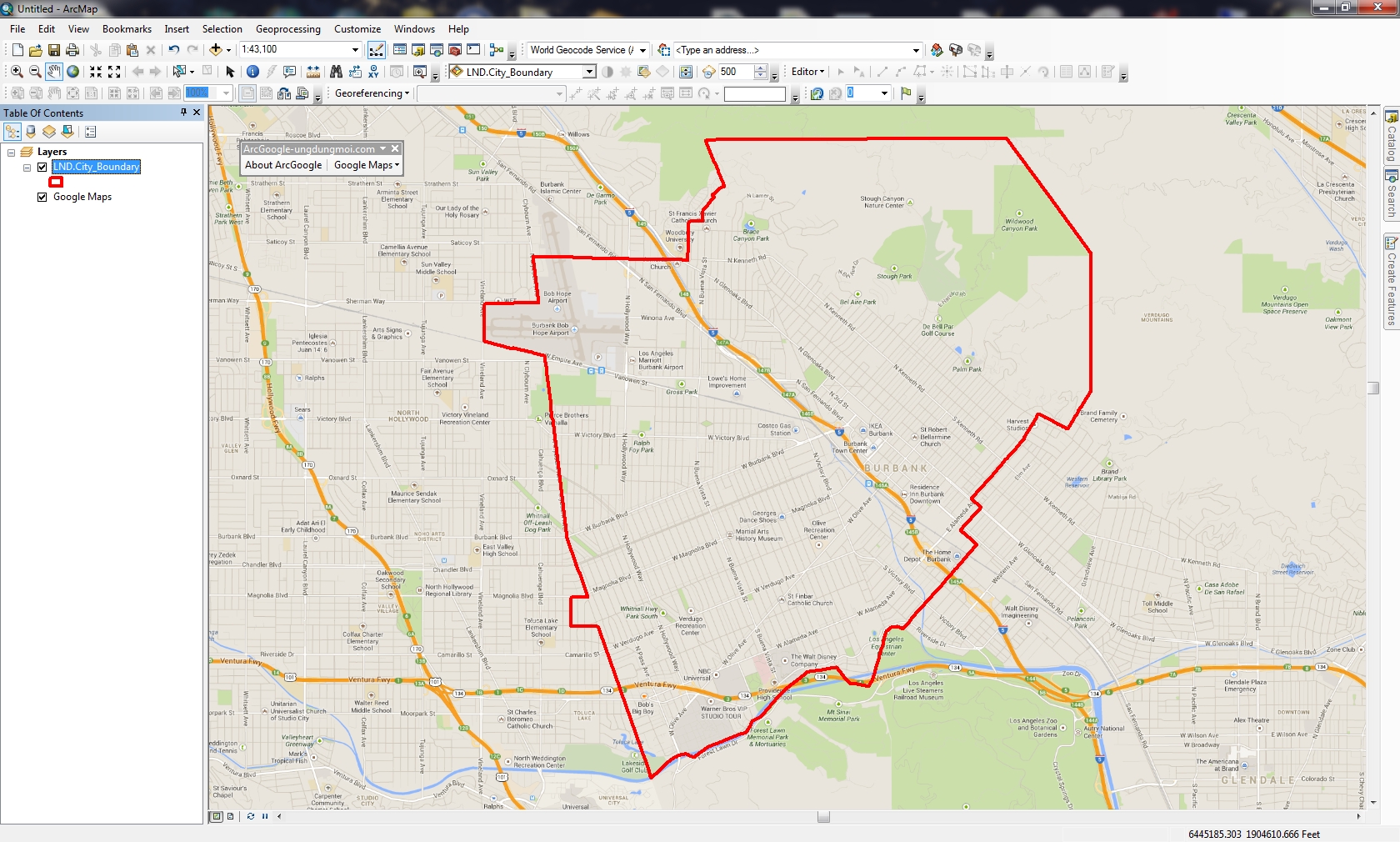
I tried this one and it worked … for about 8 minutes, then ArcMap froze and closed.  Thinking it was a fluke, I started ArcMap again and used the tool, but it did the same thing.  Too bad.  Maybe it will work differently for you?  Let me know if you try it.

google2

GoogleMap Download
http://gto-software.com/arcmapdt.aspx?ID=46

If you cannot read Vietnamese, here is the translation.

This one worked pretty well.  It downloads the tiles to a cache before they are displayed, however it is a little slow because of that.

google3

I also found the images a little blurry, maybe because it was using lower res images to speed up the cache?  Not sure.  I was using the California State Plane projection in ArcMap and everything lined up fine.  The interface also has a satellite and terrain map option.

google3b

Arc2Earth
http://www.arc2earth.com/software/arc2earth/

They have a polished website, so it gives you the impression their software will be the same.  Their claim is worldwide coverage for Google Maps directly in ArcMap, with the convenience of a low-cost monthly subscription ($490/yr for 1 user).  You can download a free Community Edition for a 7 day trial, so I gave it a go.  Download and install was simple.  When I opened ArcMap I got this:

google4

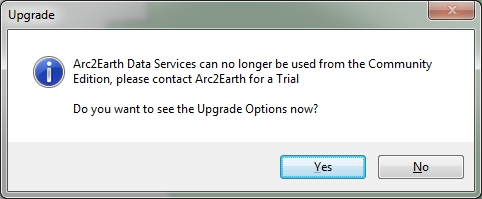
That’s not good.  Maybe the firewall at work is doing something crazy?  So I installed it on my laptop outside the network and got this:

google4b

What?  So I click on Yes and get this:

google4c

So much for Arc2Earth!  I give up.  Maybe it will work for you?

So there you have it, my 8 hour quest for Google Maps in ArcMap.  If you find something similar, post a comment so we all can benefit.

-mike

ESRI’s Change to World Topographic Map sub layers

ESRI’s ArcGIS Online team made a change to the World Topographic Map on February 3, 2014.  This will affect you if you reference the sub layers.  Check out their blog post for more info.

If you use Geocortex Essentials, this may affect you as well.  If you use the topo base map, you might see warnings from the Essentials REST manager.  To fix it, do the following:

  1. Log into REST manager on each Essentials server
  2. For each site, click on the “edit” button
  3. You should immediately see two warnings similar to what is shown below
  4. Simply click “OK” to both prompts and then click “Save Site”
  5. Repeat for every site and you are done

topomaperror
topomaperror2

Thanks goes to Doug Yates at NorthSouth GIS for the fix.

Super Bowl Perspectives Map

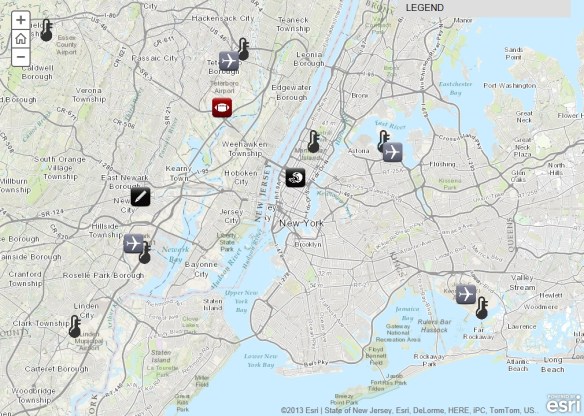
Super Bowl XLVIII will take place on Sunday, February 2, at MetLife Stadium in New Jersey. See where the game will be played and explore a series of maps that will tell you everything you need to know about the NFL’s annual championship game.  Explore everything from live temperature feeds and transportation infrastructure in the New York/New Jersey region to the 10 coldest Super Bowls of all time.

superbowl

ArcGIS 10.2.1 – You Might Want to Wait

Some early adopters of ArcGIS 10.2.1 are reporting some problems.  If you can wait, I would stick with 10.2 until a service pack is released for 10.2.1.  Here are some comments that I have read in emails:

Sarasota County – Install the full release in a development environment first. Sarasota County GIS experienced difficulties with License Manager (port related), Web Adaptor (must remove existing arcgis site if you want to update it as arcgis again), Server (system and utilities tools have display touchy behavior changes if you want them hosted on say your GpCluster server(s). We are still working to move certain server tools such as Printing off of our mapCluster.

Merced County – Read the version notes and see if anything helps. If you don’t see a benefit then don’t upgrade. I am testing it on a my machine but I’ve already had issues with Model Builder Models acting differently. The geoprocessing tool works differently and will need to be upgraded in each of your models. I for one will not be updating server to 10.2.1 after hearing the news from Florida. I already did not plan on upgrading because this .1 release does not improve anything for my organization.

If you have installed 10.2.1, please add a comment so we all can learn from you!