ArcMap: Dealing with NULLs

NULL values in GIS data can trip you up if you don’t know how to deal with them.  A NULL value is not the same as a blank (empty) value, and actually takes up 1 bit more of space than an empty value.  Allowing a field to be NULL introduces an additional state that you would not have if the field was created to not allow NULLs.  And yes, you can have NULLs in numeric fields too!

Why have a NULL value in your data?  Usually this is used to mean “not set” or “uninitialized”.  A good example would be an employee database with a termination date field that is set to NULL when the employee is new.  Another example would be an elevation field.  You could use a NULL value to represent “not known”, since zero is a valid elevation.  More than likely you have fields that allow NULLs because someone created them not paying attention to the defaults.

So how do you specify a field to allow NULLs or not?  Open ArcMap (I’m using version 10.2.2) and bring in some data from a geodatabase.  Then open the data’s attribute table and select “Add Field…” from the Table Options icon.

nulls1

Note by default in the Field Properties that “Allow NULL Values” is set to “Yes”.  If you do not want NULLs, set it to “No”.  If you set it to “No” and do not specify a “Default Value”, then Text fields will default to a blank (empty) value and numeric fields will default to zero.  Also, keep in mind that you can add a field with “Allow NULL Values” set to “No” only if your feature class or table is not populated yet with records.

So let’s take a look at some test data I created with some fields that allow NULLs.

nulls2

As you can probably guess, the field TFIELD is a text field and NFIELD is a numeric field.  Note some records have NULL values while others have data.

Using the Select By Attributes tool, I can select NULL values in the TFIELD by constructing the following SQL expression.

nulls3

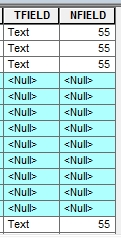
The records with NULL in the TFIELD are selected.
nulls4

If I wanted to select everything but NULL, I would have used this SQL expression.

nulls5

nulls6

Numeric fields work the same way when selecting NULLs.

nulls7

nulls8

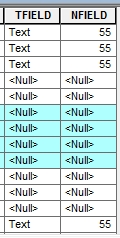
Now let’s take a few records and calc the TFIELD value to blank.  First I select a few records.
nulls9

Then right click on the TFIELD name in the attribute table and select “Field Calculator…”.  Then in Field Calculator I specify TFIELD = “” (that is two double quotes with no space between them).

nulls10

Note the values change from NULL to blank.
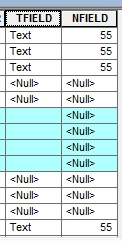
nulls11

Now let’s select NULL values in TFIELD again with the Select By Attributes tool using “TFIELD IS NULL”.  Look what happens.

nulls12

Note the blank records were not selected.  This shows that blanks are not the same as NULLs.  You have to be careful of this.  If you wanted all blanks and NULLs, try this expression in the Select By Attributes tool.

nulls13

Note in this tool I had to use two single quotes with no spaces between for the SQL expression.  This selects all NULLs and blanks.
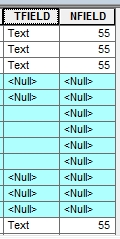
nulls14

What if I wanted to calc a NULL value to a field?  First I will select some records, like my blank values in the TFIELD, then using the Field Calculator I specify TFIELD = NULL.

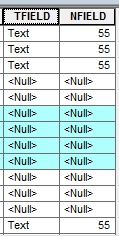
nulls15

nulls16

I can do the same for the numeric field.  First I will select all records with the value of 55.

nulls17

Then using the Field Calculator I specify NFIELD = NULL.  All values of 55 are changed to NULL.
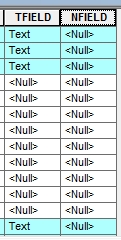
nulls18

So there you have it.  You are now an expert with dealing with NULLs and hopefully when you setup your data, you will know when to use them and NOT NULL!

Rent or Own in SoCal?

Looking to buy a home?  Or should you just rent?  Here is a neat little map app from LA Times showing where you can afford to live.  You enter your household income, percent of income you want to dedicate to housing, a down payment you can afford to place on a house if you were buying, and the length of mortgage in years.  Once calculated, a nice map is displayed showing how much you are willing to spend on housing and the areas that are cheaper to own, cheaper to rent, or difficult to afford.  Areas are divided by zip codes.  Hover over an area to get median home prices, monthly home costs, and median rent.

rentown

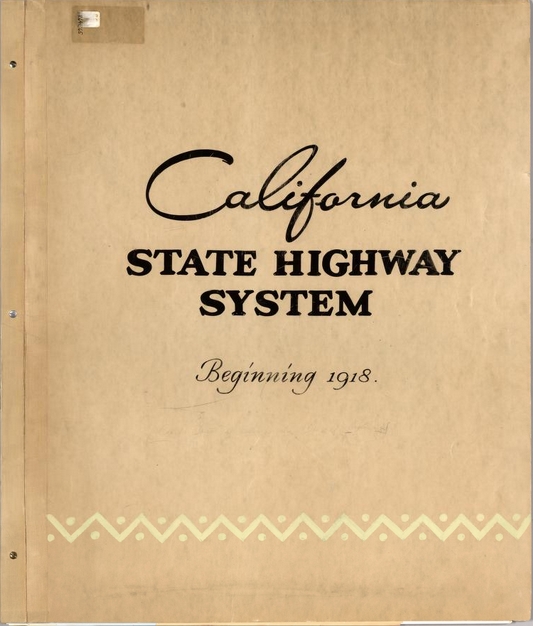
California State Highway System 1918-1990

Check out this historical atlas of the California State Highway System.  The atlas has a reversed chronological assembly of official California highway maps from 1990 back to 1918.  The maps are bound together with a custom cover and include regional enlargements, illustrations, descriptive text, route descriptions, and construction and funding status.  Download the maps in their high resolution glory!

cal_hwy_system

ESRI GeoNet Contest

Looks like ESRI is running a little contest on their GeoNet site.  You earn points by completing “missions”, like answering questions, getting replies marked as helpful, and contributing content.  First place grand prize is a MVP GeoNet Badge, Certificate of Achievement, choice of either ESRI UC Conference registration or Dev Summit Conference registration, and a choice between an Apple iPad or Microsoft Surface Tablet.  There are also second and third place prizes as well.

Though I think this is ESRI’s way to get more people to participate on GeoNet, you cannot pass up that free conference pass and iPad!  Good luck!

Say Goodbye to Google Maps Engine

Google has announced that they are ending support for Google Maps Engine (GME).  If you are using GME to store your vector and raster data in the cloud, be aware that your GME data will be removed in a year on January 29, 2016.

So where can you migrate your data now?  Safe Software has written an article listing some options that you have.  Of course if you use their FME product, it’s just a one-step process!  However, besides the sales pitch, they do present some options that you have to migrate your data to.

I personally have used ArcGIS Online and Amazon Relational Database Service (RDS) to store spatial data.  With ArcGIS Online you have to buy a plan first, then you will consume credits when you store your data there.  With Amazon RDS you can use SQL Server, Oracle, MySQL, PostgreSQL, or the new Amazon Aurora with costs for the instance (server) size/database type, consumed storage, and traffic.  Keep in mind that ArcGIS Online has tools built-in to analyze and display spatial data as well as being integrated with their ArcGIS software products.  Amazon RDS is just a storage solution, so you will need to come up with other options for analyzing and map display of your spatial data in the cloud, like using ArcGIS software or something else.

Historic Sites – Old Highways – Battle Fields

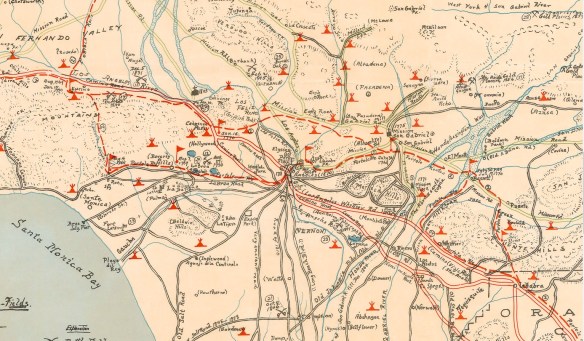
Into a little history in LA County?  I found this interesting map showing historic sites, old highways, battle fields, indian villages, gold mines, camps, towns, and other historical places of interest in old Los Angeles County.  The map was created by George W. Kirkman and titled “The Kirkman-Harriman Pictorial and Historical Map of Los Angeles County 1860-1937”.  Check it out on the LA Public Library website!

kirkmanmap

Move from Silverlight to HTML5

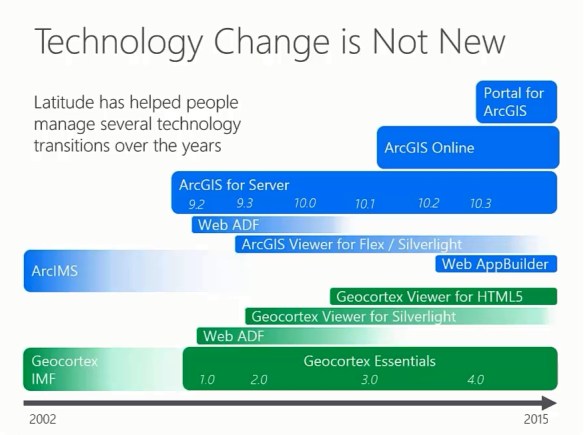
If you have apps using Silverlight, this is the year to plan and move them to HTML5.  ESRI plans on deprecating ArcGIS APIs and Viewers for Silverlight, and Google plans to remove support for NPAPI (and therefore Silverlight) in Chrome.  Note that IE and Firefox will still support Silverlight for some time.

If you have apps built on Geocortex technology, it is time for you to move to HTML5 for sure.  Watch this video from a past webinar to help get your applications where they need to be for the transition.

geocortexhtml5

Also read this document from the webinar Q&A.