CA GIS Council Meeting Today

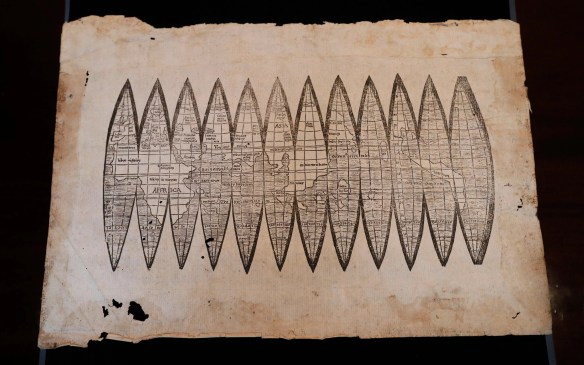
The California GIS Council Meeting is today.  Attend in person if you are local, or attend via the web.  One topic of discussion will be how GIS data was shared and used for analysis by CALFIRE, CANG, CALOES, and Napa County.

Other topics include the California Geodetic Control Work Plan, Geospatial Data Act of 2017, and the NAIP Program.

The agenda and how to connect via the web can be found on the CGIA website.

No More Locators in Geodatabases

We recently upgraded to ArcGIS Desktop 10.5.  Everything looked fine until we noticed all our locators we use for geocoding had disappeared from our enterprise geodatabase!  Someone deleted the locators?  Luckily we still had an older version of Desktop and checked the enterprise geodatabase, and they were all there.  What?  Then we tried to add a new locator to the geodatabase using 10.5 and the option was gone!

As it turns out, ESRI has decided at 10.5 that you can no longer create or use locators in geodatabases, including enterprise geodatabases.  This means that prior to 10.5 address locators are visible inside of the geodatabase, but after installing 10.5 locators are no longer visible when viewing the contents of the geodatabase. In ArcGIS Pro 1.4 as well, address locators can no longer be seen inside of geodatabases to be able to use them as inputs into tools.

So now what?  You must copy or move your address locators from geodatabases into file folders before installing 10.5, using copy/paste in ArcCatalog or running the Data Management Copy tool.  You read that correctly!  Locators must be in a file folder now, like you do with your shapefiles.  Make sure to do this before you upgrade to 10.5!  And if you want to give your users access to the locators, I guess you would have to place them on a network drive.  Maybe you do that with other files already, so it won’t be a big deal for you.

Also if you use locators for a geocoding service in ArcGIS Server, they will fail in Server 10.5.  They must be moved to file folders and used from there.

More info about this here.

GIS Courses at Rio Hondo College

Rio Hondo College GIS courses start the week of January 29th 2018. http://riohondo.isteaching.com/spring-semester-2018.html Apply for admission and register for classes entirely online. Available courses include Introduction to GIS (GIS 120), Cartography Design and GIS (GIS 221) located off site at the LA County Department of Public Works (900 S Fremont Ave, Alhambra), also offered is GIS Applications (GIS 220) on Fridays and a second offering TTh evening, and the Environmental GIS (GIS 230) course on MW evening.

Waivers are available if you are unable to meet prerequisites due to scheduling, if you have experience using GIS or attended an introductory course elsewhere. Contact wroberts@riohondo.edu for support. For more information on the courses you can view here and you can follow steps here to register.

Creek Fire & Thomas Fire

dqsfytgvwaei2xs

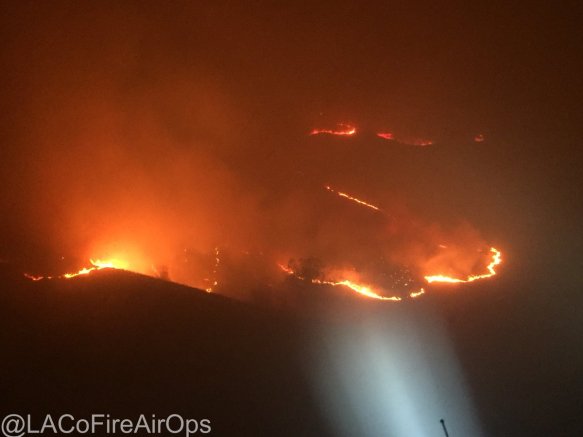
As winds kept blowing this morning, the Creek Fire near Sylmar started up and mandatory/voluntary evacuations were issued.  More on LA County Fire PIO twitter site.

creekfiremap

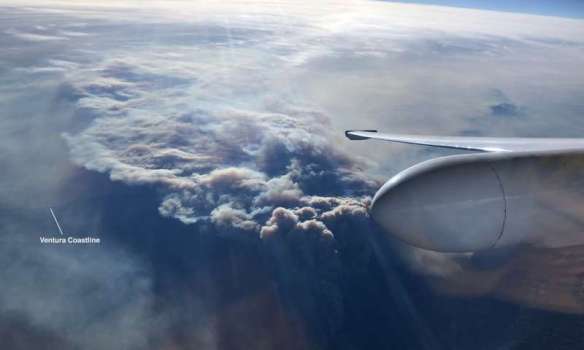
Check out the National Weather Service’s visible loop to see how fast the Creek Fire erupted.  You can also see the larger spot, which is the Thomas Fire in Ventura County.

noaavisloop

Also if you have been following the Thomas Fire near Santa Paula/Ojai/Ventura, more info can be found on the Ready Ventura County site.  Mandatory and voluntary evacuations have been issued.

For the National Weather Service wind speed map and other info, click below.

nwswindspeed