This is a scary picture. Look at Nevada too.
California Drought As Seen From Space
2

This is a scary picture. Look at Nevada too.
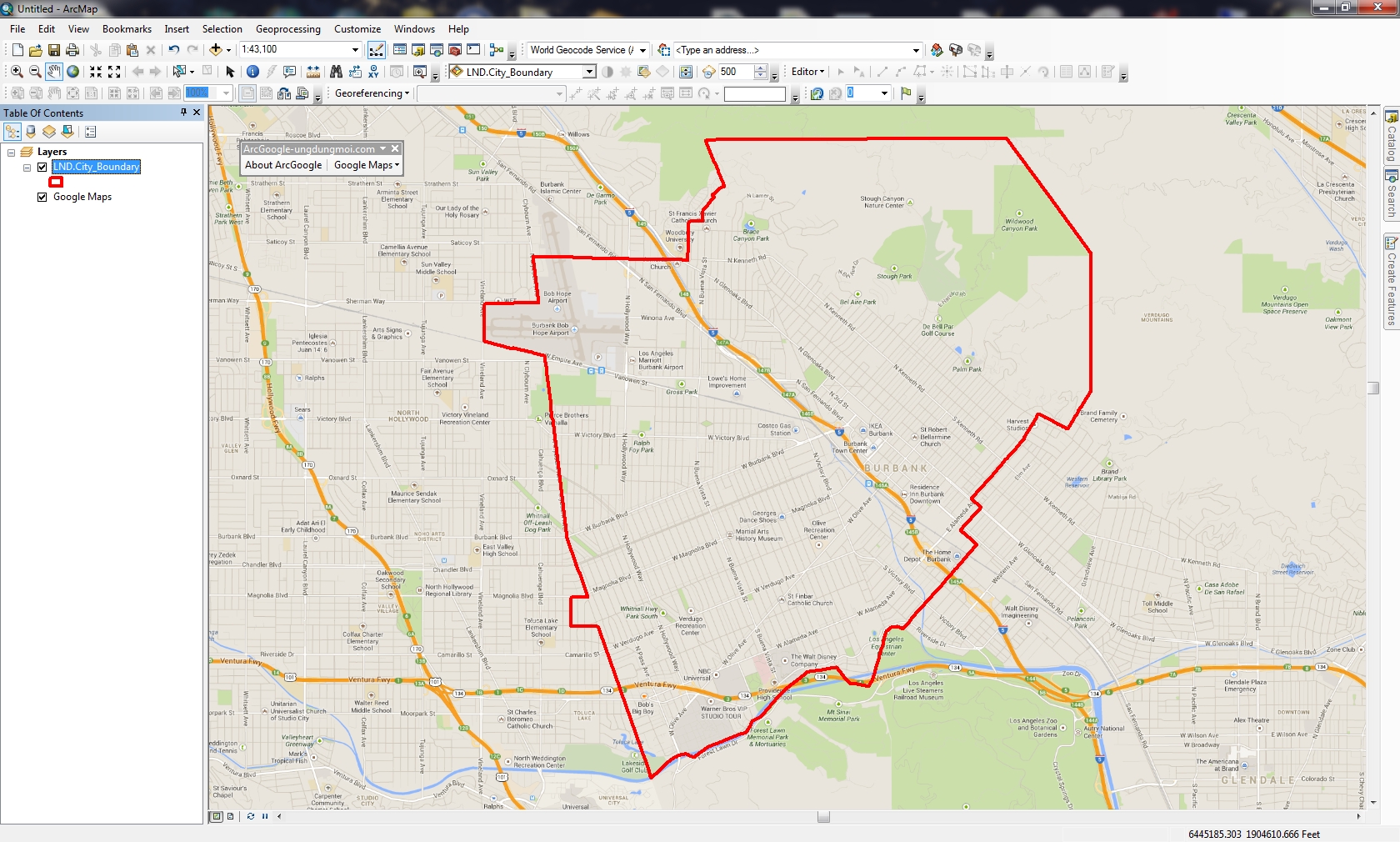
Many years ago I wondered how to get Google Maps as a background map in ArcMap. Why did I want to do this? Because it would be cool and basemaps in ArcMap were limited back then. However, I never had a chance to try it out … got too busy. Besides, there are many options now for basemaps and better than Google Maps. For a government agency, replacing authoritative GIS data with crowd sourced data might not be a good idea. However, I recently did have some time to explore this (for 8 hours!) and here is my adventure in getting Google Maps into ArcMap.
What better way to figure out how to get Google Maps into ArcMap than by doing a Google search!
ArcBruTile
http://arcbrutile.codeplex.com/
I found this one on a GIS forum post. They said you could display Google Maps in ArcMap with it. So I downloaded the software and installed. I was disappointed that there was no option for Google Maps! After reading some comments on their page, they had to take it out because of Google licensing issues. The interface does have other choices, some are interesting like a watercolor painted map.
I did discover if you download version 0.2.2, it does work but rather slowly and the satellite option does not work. Why use an old crippled extension anyway?

ArcGoogle
http://www.mediafire.com/download/d0xr4bdid5594nn/ArcGoogleSetup.zip
I tried this one and it worked … for about 8 minutes, then ArcMap froze and closed. Thinking it was a fluke, I started ArcMap again and used the tool, but it did the same thing. Too bad. Maybe it will work differently for you? Let me know if you try it.
GoogleMap Download
http://gto-software.com/arcmapdt.aspx?ID=46
If you cannot read Vietnamese, here is the translation.
This one worked pretty well. It downloads the tiles to a cache before they are displayed, however it is a little slow because of that.

I also found the images a little blurry, maybe because it was using lower res images to speed up the cache? Not sure. I was using the California State Plane projection in ArcMap and everything lined up fine. The interface also has a satellite and terrain map option.

Arc2Earth
http://www.arc2earth.com/software/arc2earth/
They have a polished website, so it gives you the impression their software will be the same. Their claim is worldwide coverage for Google Maps directly in ArcMap, with the convenience of a low-cost monthly subscription ($490/yr for 1 user). You can download a free Community Edition for a 7 day trial, so I gave it a go. Download and install was simple. When I opened ArcMap I got this:

That’s not good. Maybe the firewall at work is doing something crazy? So I installed it on my laptop outside the network and got this:
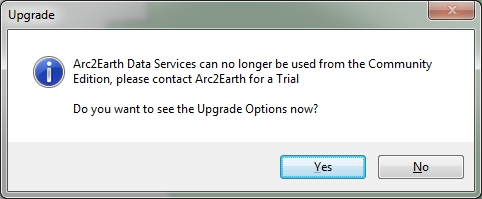
What? So I click on Yes and get this:

So much for Arc2Earth! I give up. Maybe it will work for you?
So there you have it, my 8 hour quest for Google Maps in ArcMap. If you find something similar, post a comment so we all can benefit.
-mike
ESRI’s ArcGIS Online team made a change to the World Topographic Map on February 3, 2014. This will affect you if you reference the sub layers. Check out their blog post for more info.
If you use Geocortex Essentials, this may affect you as well. If you use the topo base map, you might see warnings from the Essentials REST manager. To fix it, do the following:


Thanks goes to Doug Yates at NorthSouth GIS for the fix.
Interesting announcement of testing an Unmanned Aircraft System (UAS) for professional grade civilian mapping. I wonder what this will do to the aerial mapping industry in the future? I can see drones flying around LA County for LARIAC imagery!


 SoCalGIS.org