
How many times while working in ArcMap have you had the need to find the XY coordinate for a certain location? Sure you can hover over the map with your mouse and read the coordinates displayed in the lower right hand corner of the ArcMap window:

But depending on your projection, those coordinates might not be in the format you want. For example, you want longitude and latitude but your coordinates are displayed in another projection system.

Here comes the Identify tool to the rescue! Identify tool you ask? Yes, besides displaying what features you clicked on it also displays the coordinates where you clicked. You have been using this tool for a long time but maybe overlooked the coordinate display. Try it now. Here is what I got:
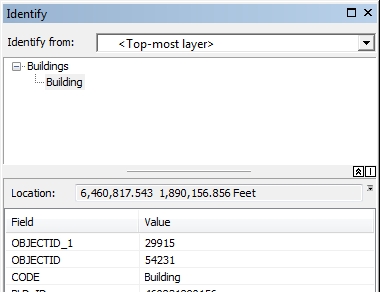
Note “Location:” just above the field and value listing. If you want to change the coordinate format, click on that little down arrow next to the coordinate display:
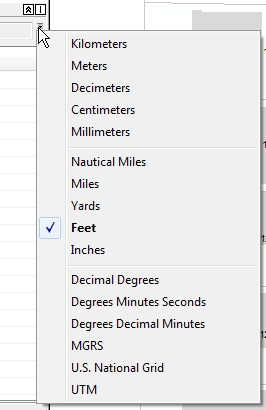
Now pick something else, like Decimal Degrees and see your new coordinates:

You can even copy what is displayed and paste it in something else, like an email or a report.
So there you go, a quick way of getting point and click XY coordinates from ArcMap. Enjoy! -mike
 SoCalGIS.org
Thanks, Mike – that is a very handy tool that had eluded discovery til now! (o: klf